
THE UNIVERSAL DATABASE TOOL
The database client with the highest user satisfaction*Rated 1st place on G2.com (4.7 / 5)
DbVisualizer has a long history of being the preferred database tool for the world’s leading data professionals.


PRODUCT OVERVIEW
DbVisualizer has everything you need to build, manage and maintain state-of-the-art database technologies. Each feature has been thoughtfully crafted to solve real world problems.


DATABASE COVERAGE
It connects to all popular databases
DbVisualizer is the only database tool you’ll need. Everything you need to gather data from all your data sources is bundled right in - including support for database-specific object types and more.


AI Assistant
AI Assistant
DbVisualizer introduces an integrated AI assistant.
Opt-in for the AI assistant in DbVisualizer! It will help you work faster and more confidently with your databases. It supports everyday tasks like writing and improving SQL, understanding schemas and results, and troubleshooting errors, with explanations and suggestions tailored to what you are working on.
HIGH USER SATISFACTION
Leading the way in user satisfaction
DbVisualizer is continuously developed in close collaboration with our users. We pride ourselves in engineering software of the highest quality and deliver support to our users directly from our developers.
Because that’s the kind of support we like.


SQL EDITOR
Advanced SQL editor
DbVisualizer includes an advanced SQL editor that will help make your coding life easier.
AUTOMATIC FORMATTING AND SUGGESTIONs
Write beautiful queries
Copy-pasted queries can be easily formatted to your liking and auto-suggestions will help you write efficiently.

VARIABLES
Simplify the re-use of queries
DbVisualizer variables make it easy for users to modify specific values inside a query as it is being initiated.

MANAGE YOUR DATABASES
Access, explore and optimize
DbVisualizer is a universal database client that will help you access, explore and optimize most popular databases.
Explore and visualize
Easily viewed, managed and control your stored data.

Driver management via Maven
JDBC driver management is built in with version handling.

Custom object types and actions
We support unique object types across a huge range of databases.

MANAGING DATA
Take control of your data
The data stored in your database can be easily managed and controlled with DbVisualizer.
Results visualization
As you get the result from a query, you can decide how it should be presented. You can choose from a simple table to various graphs with custom design.
Inline editing
You can edit data directly in the DbVisualizer viewer. Each edit will be highlighted and saved locally until you decide to commit your updates to the database.
Exporting
You can export a result set into almost any file format, with specific formatting. There are also quick-export options for when you just want to open the result set as a spreadsheet.
WORKFLOW
Built to match your workflow
You can set up DbVisualizer to perfectly match how you want to work. Inside and outside of the application.
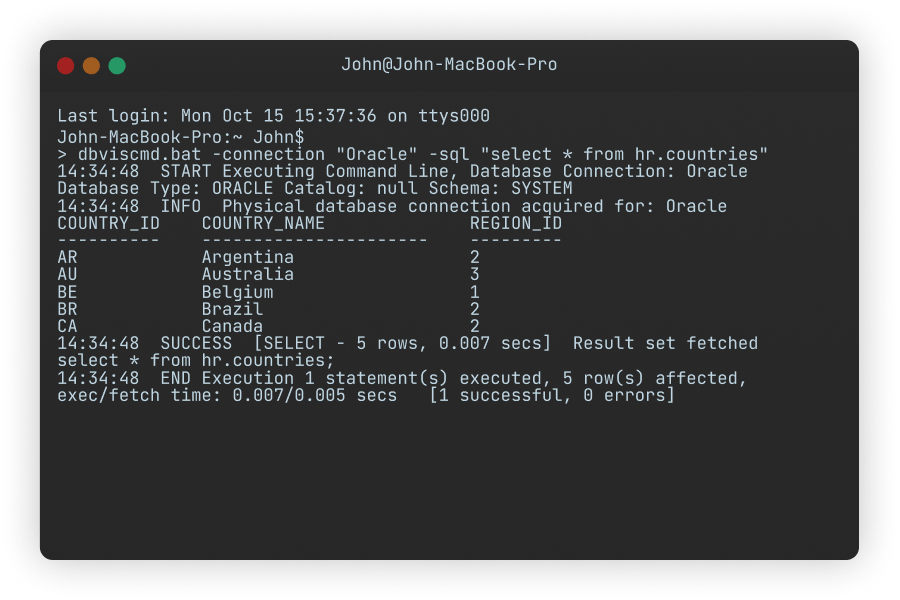
Manage data with command lines
Script it yourself or have it generated outside of the DbVisualizer UI.
Client-side commands
Execute imports, exports or even emailing directly from your code.

Customization
Save your workspace with tabs and scripts for easy access.

VERSION CONTROL
Version control with Git
DbVisualizer includes integrated support for version control using Git.
Get started by cloning a remote repository or mounting an existing one, switch branches, push changes, fetch updates and explore commit history - the essentials are there for a comfortable and efficient workflow. If you are using GitHub, you will be able to use the web-based authentication flow.
SECURITY
Meeting the toughest security standards
DbVisualizer is set up to meet the toughest security standards. Encrypt data, restrict access, and more.