
Overview
JavaScript Mention is an autocomplete-like control for tagging or selecting users or group from a suggestion list. The control opens a suggestion list when a user starts typing with the ‘@’ character, just like on popular social media sites such as Facebook, Twitter, and more. It supports several out-of-the-box features: data binding, grouping, UI customization, accessibility, and more.

Data binding
The JavaScript Mention control seamlessly works with local and remote data sources such as an array of primitive data, data sets of complex items, JSON data collections, and remote data sources.

Javascript Rich Text Editor with mention and hashtags
Tag or select a user or group from the suggestion list when composing content in the Rich Text Editor.
Integration
Easy to integrate with editable controls such as text area, text box, and div elements with content-editable set to true.


Trigger character
Change the mention (trigger) character to # or other characters.
Multiple lists
Use multiple mention characters in a single editor, such as @ for a user selection list and # for a topic selection list.


Searching
Highlight matched text
Change the visual appearance of the matching characters in the suggestion list.
Minimum characters
Open the suggestion list when the specified character limit is reached.
Space in search
Supports spaces in searches and displays the results in the suggestion list.


Selection suffix
Users can add a suffix to the selected suggestion.
Grouping
Display suggestions with categories and groups in the JavaScript Mention control.


Sorting
Display sorted suggestions in ascending or descending order.
Number of suggestions
Limit the number of items displayed in the suggestion list.

UI customization
The appearance (style) of each item displayed in the suggestion list and the selected value can be customized.

Suggestions with icons
Include icons in the suggestion list items to improve visual representation.
Item template
Customize each suggestion list item by using item templates.
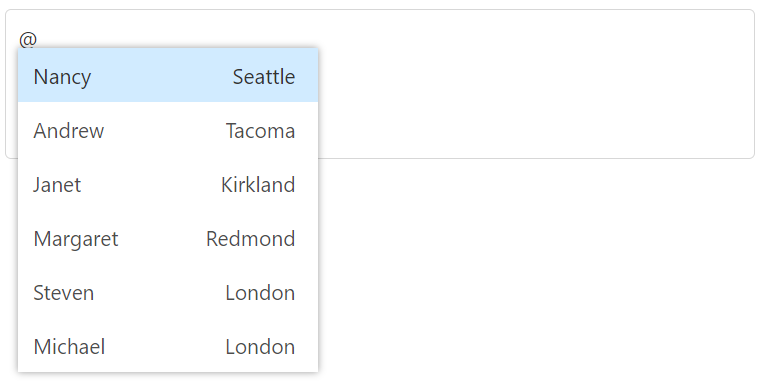

Display template
Customize the appearance of the selected items displayed in the JavaScript Mention control.
Empty record template
Customize the empty result text in the suggestion pop-up.

