


Easier to sync your PC and phone
Use Phone Link to connect your Windows PC to your Android™ or iPhone®.
- For Android users
- For iOS users
Launch Phone Link or search for "Phone Link" on your Windows 11 PC taskbar.
Select ‘Android’ and scan the QR code to complete setup.
Customize notification preferences.

Keep up with your chats
Now there’s no need to unlock your phone. Microsoft Phone Link enables you to read texts and respond directly from your PC. Launch Phone Link
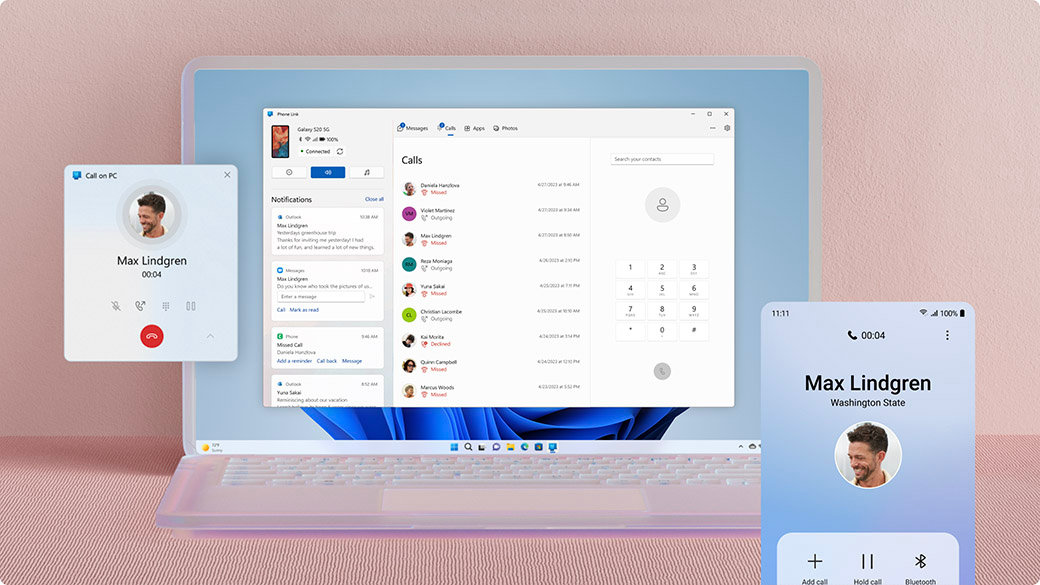
Take and make the call
Review your call history, search contacts, or dial to make calls—from your Windows computer. Launch Phone Link

Stay on top of your notifications
Check, pin, and dismiss notifications. Microsoft Phone Link lets you customize banner alerts to your preferences. Launch Phone Link

Share your Android’s photos
View the last 2,000 images from your camera roll, and drag and drop or copy and paste them into other apps. Launch Phone Link


Galaxy Book3 Ultra
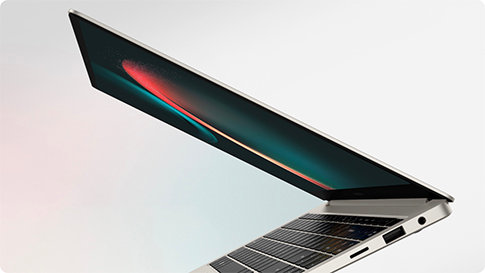
This Galaxy Book3 Ultra easily goes wherever you go. This portable and thin profile unfolds to reveal a wide workspace, complete with a narrow bezel to maximize the screen-to-body ratio.1

Galaxy Book3 Pro 360
Galaxy Book3 Pro 360 5G features built-in, industry-leading 5G wireless technology so you can stay connected anywhere, even off the grid without Wi-Fi.2
Galaxy Book3 Pro
Introducing Galaxy Book3 Pro. The thinnest and lightest laptop in the Galaxy Book range with smartphone-like mobility.3

Discover the all-new Samsung Galaxy series
Ultra slim and premium look designed to give you the freedom to move with its leading chipset performance, expandable storage, and enhanced continuity.
Microsoft Phone Link replaces the Your Phone Companion app and allows you to filter your notifications, receive calls, and use your mobile apps on your PC.4 5 6 7 With an updated design for Windows 11, Phone Link is reaching customers around the world.
The Phone Link experience will come preinstalled on your PC with Windows 10 or Windows 11, simply search “Phone Link” in Start menu. If you are on Windows 10 and cannot find Phone Link, you may need to update to a later version of Windows 10 or download Phone Link directly from the Microsoft Store.
From your PC, you can connect to Android and select Samsung and HONOR devices with these two apps:
- Link to Windows (LTW) app for most Android devices.