Authorize Log Fields
Summary
The Authorize Log Fields setting controls which fields will be included in the authorize logs. For each incoming request, the authorize service will emit a log entry with the message authorize check containing the policy evaluation result and these additional log fields.
The default log fields should be appropriate for most deployments.
How to configure
- Core
- Enterprise
- Kubernetes
| Config File Key | Environment Variable | Type | Default |
|---|---|---|---|
authorize_log_fields | AUTHORIZE_LOG_FIELDS | Array of string | See Authorize Fields and Defaults |
Examples
authorize_log_fields:
  - request-id
  - path
  - ip
AUTHORIZE_LOG_FIELDS=request-id,path,ip
Headers examples:
# List all HTTP headers
authorize_log_fields:
  - headers
AUTHORIZE_LOG_FIELDS=headers
# List custom HTTP headers
authorize_log_fields:
  - headers.cookie
  - headers.content-type
AUTHORIZE_LOG_FIELDS=headers.cookie,headers.content-type
The authorize_log_fields setting can also be configured by Terraform.
Configure Authorize Log Fields in the Console:
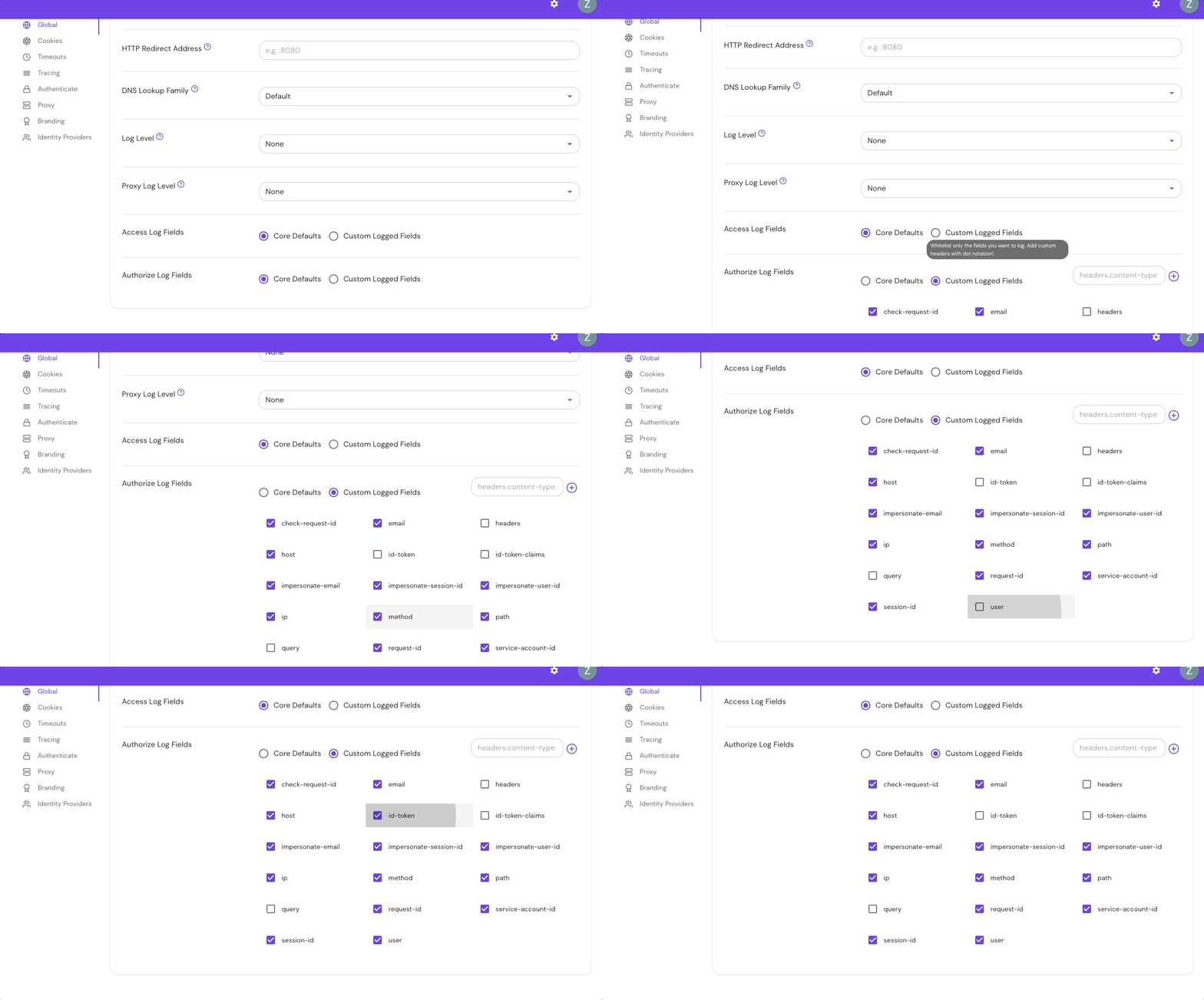
Add Custom Headers in the Console:

The authorize_log_fields setting can also be configured by Terraform.
| Parameter name | Type | Default |
|---|---|---|
authorizeLogFields | Array of strings | See Authorize Fields and Defaults |
Examples
authorizeLogFields:
  - request-id
  - path
  - ip
Authorize log fields and defaults
The table below lists all available authorize log fields:
| Field name | Description | Default field |
|---|---|---|
body | The HTTP request body. Only available for protocols with request content inspection such as MCP. | No |
check-request-id | The request ID of the gRPC check call | Yes |
cluster-stat-name | The stat name of the upstream cluster the request was routed to (set via route name, route id, or the Enterprise Console Metric Name field) | No |
email | The logged-in user's email address | Yes |
envoy-route-checksum | The checksum of the Envoy route configuration used to match the request | Yes |
envoy-route-id | The ID of the Envoy route that matched the request | Yes |
headers | The complete set of HTTP request headers | No |
headers.{CustomHeaderName} | An HTTP Request Header identified by the HeaderName | No |
host | The HTTP request :authority or Host header value. Can be a domain name or IP address and may contain a port number (for example, www.example.com) |