

Signer Authentication for Secure eSignatures
Verify who signs your documents before they access anything. Choose from email OTP, SMS OTP, access code, Knowledge-Based Authentication, or ID verification based on what each document needs.


Trusted by 50,000+ businesses worldwide


Authentication methods
BoldSign offers multiple authentication options so you can choose the right one for each document.
Email OTP
A one-time password is sent to the signer's email address. They enter it to access the document. Good for general-purpose documents that need a basic identity check.

SMS OTP
An SMS OTP for document signing is sent to signer's mobile number. Ties verification to a physical device rather than just an inbox. Useful for time-sensitive documents.

Access code
You set a custom code and share it with the signer through a separate channel. Simple and effective when you already communicate securely outside of BoldSign.

ID verification
Signers verify their identity using a government-issued ID. Best for high-value contracts, regulated industries, or legal documents requiring strong proof of identity.

Knowledge-Based Authentication
Verify signer identity with security questions before document access. Ideal for strong authentication without an ID document.

Why use Signer Authentication
Security, legal, and procurement teams expect strong authentication controls, which also help protect documents if they’re ever disputed.

Only the right person signs
Document access control ensures the intended signer, not just anyone with the link, completes the signing.

Lower fraud risk
Identity verification before signing reduces the chance of impersonation or unauthorized document access.

Full audit trail
Every authentication event is time-stamped and recorded, giving you a clear record if questions arise later.

Flexible per signer
Set a different authentication method for each recipient in the same document. Not all signers need the same level of verification.
How it works
Setting up authentication takes a few extra steps at the document preparation stage. Here is how the process works from start to finish.

Choose an authentication method for each signer. Each can be different

Send the document

Each signer authenticates before they can open or sign the document

Authentication events are recorded in the audit trail alongside signature details
Signer authentication via API
BoldSign API supports signer authentication for developers embedding signing into their applications. All four authentication methods are available when creating a document request.
Compare signer authentication options
Choose from low-friction to high-security verification methods depending on your document’s risk level.
Authentication method | Best use case | Priority outcome |
|---|---|---|
Email OTP | Everyday agreements that need a basic identity check and a fast signing experience | Ease matters most |
SMS OTP | Time-sensitive documents that need mobile-based verification and quicker completion | Speed matters for mobile-first signers |
Access code | Documents shared with signers you already verify through another channel and want flexible control | Ease and flexibility matter most |
ID verification | High-value or regulated documents that need strong proof of identity | Enforceability matters most |
Legally Valid.
Fully Secure.
Always Compliant.
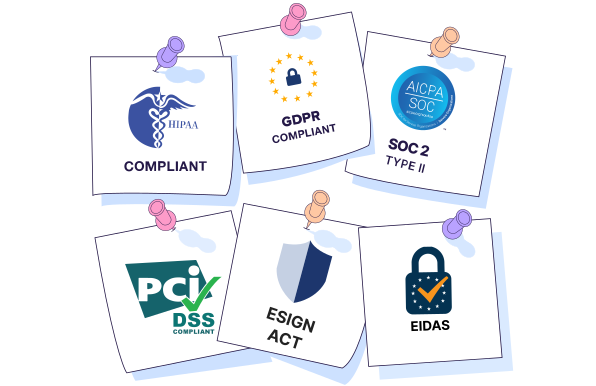
BoldSign meets top global standards like SOC 2, GDPR, HIPAA, and PCI DSS. Every signature is legally enforceable under the ESIGN Act, eIDAS, and global laws. With AES-256 encryption, your data stays protected from start to finish.
Hear from Our Customers
Explore real success stories from organizations that use BoldSign to streamline document workflows, strengthen compliance, and accelerate business operations.

Payroc
Learn how Payroc successfully incorporated the BoldSign API into their contract management workflow.

Premier Tax and Accounting Group
Learn how Premier Tax and Accounting Group successfully deployed BoldSign to capture client signatures.

The JamSpot LLC
Learn how BoldSign helped JamSpot simplify their rental agreements for smoother operations.

Potenta Law
How Potenta Law simplified document signing for clients with limited tech experience-without compromising on affordability or legal compliance.

Kansas Daycare
See how Chelsey Harvey replaced Docusign with BoldSign to save costs and simplify parent agreements at her growing Kansas childcare center.
Anthony Zurica
Discover how Anthony Zurica simplifies real estate law with BoldSign’s fast, paperless e-signature solution.

Angel Griffin
Read Angel Griffin's success story: Discover how BoldSign's prompt, real-time customer service resolved key issues, surpassing Docusign's AI Assistance.

Commersion Legal
See how BoldSign helped Jason Xu to modernize Commersion Legal’s contract signing process by reducing costs and grow his legal business in Australia. Check now!

Gray Matter Realty
Discover how Nate Phillips switched from Docusign to BoldSign, reducing costs and streamlining real estate workflows using a smarter eSignature solution.

Elizabeth Moncrief
Read Elizabeth Moncrief’s success story on BoldSign—how it helped RHA digitize housing recertification, enable fast signing, and enhance client experience.

Ayush Kumar
How Business Integra cut document delays with BoldSign. Ayush Kumar used automated reminders and unlimited envelopes to speed signatures and reduce follow‑ups.

Taylor Pyles
Read Taylor Pyles success story to discover how BoldSign helped automate volunteer onboarding, simplify signing, and securely manage nonprofit documents.

Zach Calvert
Discover why BoldSign is perfect for businesses that need quick, secure, and simple e-signature workflows with great support and future-ready features.

Nikki Adams
Discover how BoldSign made ABA TREE’s workflow hassle-free with affordable, branded e-signatures for intake and onboarding.

Fatema Ebrahim
Discover how BoldSign made handling client contracts and employee on-boarding easier, quicker and far more organized.

Jean Werthman
See how BoldSign helped VSC Commercial Properties sign leases online & replace DocHub with an intuitive e-sign solution.

Shaun Mook
Discover how BoldSign transformed Redcat’s workflow with quick branded template setup, faster document branding, and a user-friendly e-signature experience.

Randy Via
Discover how BoldSign helps him send home inspection contracts faster, cut delays, and deliver signed agreements within 24 hours.

Debra Lyles
See how WDC Solar transformed their contract process with BoldSign, making signing simpler, faster, and reliable for every customer.

Terri Rausch
Terri Rausch’s success story shows how BoldSign helps a nonprofit animal rescue save time, cut paperwork costs, and speed up adoption agreements.

David Rubin
Discover the Success story of David Rubin and see how BoldSign helped the NEC replace manual signing with faster approvals, real time updates and less effort.

Carole Brooks
Discover how MediaTech reduced eSignature costs and simplified contracts, onboarding, and approvals using BoldSign's affordable electronic signing platform.

Eva Cheng
NPMS switched to BoldSign for affordable, efficient e‑signatures. Eva Cheng praises fast support and a free nonprofit plan that streamlined teacher contracts.

Shmuel Stern
Discover how Disclosure Clinic and founder Shmuel Stern improved document turnaround, retained internal links, and simplified e-signatures using BoldSign

Manos Katris
Discover how Innovation Philosophy replaced DocuSign with BoldSign to save costs, speed up contracts, and eliminate document errors using reusable templates.

Kevin Rodriguez
Discover how BoldSign Transformed Paraclete Landscape's Contract process, enabling faster signing, stronger credibility and more professional client experience.

Breion Moses
Breion Moses shares how BoldSign solves e-signature declines for nonprofits, enabling cost savings, automated reminders and seamless filmmaker onboarding.

Adam Schildmeyer
Stratus HR’s Adam Schildmeyer shares how BoldSign solves cross-browser eSignature issues, enabling frictionless onboarding and faster approvals workflows.

McKay Dunaway
McKay Dunaway shares how 20North Marketing switched to BoldSign for cost-effective e-signatures, responsive support, branded domains, and simpler workflows.

Kristy Ramsey
Discover how BoldSign helps Jem Junkies replace paper forms, reduce costs, and collect secure e-signatures anywhere, perfect for small businesses on a budget.

Melissa
Discover how BoldSign empowered NHPCO to meet HIPAA standards, safeguard patient data with confidence, and streamline workflows using secure e-signatures.

Christian Kroul
Discover how Christian Kroul uses BoldSign to speed up delivery contracts, save time, and manage signatures on the go, making it simple for solo entrepreneurs.

Courtney Brough
Discover how BoldSign helped First Atlantic Restoration cut costs, simplify e-signatures, and boost efficiency in disaster recovery operations with ease today.

Elmira Minonoka
Learn how QWQER Express uses BoldSign to eliminate signing delays, reduce paperwork, and keep all contracts securely stored in one system.

Viraj Ala
Learn how marketing consultant Viraj Ala uses BoldSign to manage client contracts, track contacts, and send unlimited signature requests at an affordable price.

Dr. Yoon Hang Kim
Discover how Dr. Yoon Hang Kim uses BoldSign to collect telehealth consent forms easily and affordably, while giving patients a smooth signing experience.

Rachel Glenn
See how Rise Up Rehab switched from DocuSign to BoldSign, saving $1,000+ yearly, simplifying e-signatures, & protecting patient ePHI with a HIPAA-compliant BAA.
Sonya S
See how BoldSign helped Club Z tutoring streamline onboarding with easy e‑signatures, faster form completion, and a mobile‑friendly signing experience.

Elizabeth Jennings
Discover how BoldSign enabled Club Z! Tutoring to achieve onboarding success, replacing manual forms with seamless e-signatures that built trust and efficiency.

Kyle Kachidurian
JJK Consulting switched to BoldSign for unlimited envelopes and affordability, a customer success story proving smoother workflows than DocuSign offered.

Nojan Moshiri
Sail Training LLC speeds up document signing by nearly 30x with BoldSign, eliminating slow manual processes through a modern, affordable e‑signature solution.

Syncfusion
Learn how Syncfusion successfully integrated BoldSign into their HR processes.
Frequently asked questions
Signer authentication verifies a person’s identity before they can access or sign a document. It adds an extra step, such as a one-time password or ID check, to ensure the right person completes the signing.
No. Authentication is optional and should be used based on the sensitivity of the document. For low-risk agreements, basic verification may be enough. For high-value or regulated documents, stronger authentication is recommended.
- For fast and simple signing → Email OTP
- For quick action and better assurance → SMS OTP
- For flexibility with known recipients → Access code
- For strong identity proof and compliance → ID verification
- For stronger authentication without ID upload → Knowledge-Based Authentication
Use ID verification for high-value, sensitive, or regulated documents where strong identity assurance is required, such as legal agreements or compliance-driven workflows.
You create a code during document setup and share it with the signer through a separate channel. The signer must enter this code to access the document.
Yes. You can assign different authentication methods to each signer within the same document based on their role or the level of verification required.
No. Authentication is quick and efficient, usually taking just a few seconds, so it doesn’t slow down the signing process.
Yes. Authentication methods like OTPs and ID verification help prevent unauthorized access and reduce the risk of fraud by confirming the signer’s identity before signing.
Sign up for your free trial today!
 30-day free trial
- No credit card required

- 30-day free trial
- No credit card required
