


TL;DR: Not every development task needs to run on your local machine. BoldCreate Cloud Agent lets you delegate coding work to an AI agent running in an isolated cloud workspace. Connect your repository, describe the task, and let the agent inspect files, edit code, run commands, and test changes. You can review the implementation, provide follow-up instructions, and create a pull request when the work is ready—all without keeping your local machine running.
When Development Doesn’t Need to Stay on Your Machine
A bug needs fixing. A feature needs to be added. Tests need updating before a release.
Traditionally, these tasks require opening your development environment, preparing the project, and keeping your machine available while the work runs. That can interrupt other work, especially when the task involves lengthy builds, dependency installation, or repeated test runs.
What if you could delegate the implementation and review the results when you’re ready?
BoldCreate Cloud Agent brings agentic development into a cloud workspace, allowing you to hand off well-defined coding tasks while keeping control of the resulting changes.
What Is BoldCreate Cloud Agent?
BoldCreate Cloud Agent is an AI coding agent that works with your repositories in an isolated cloud workspace.
Describe what you want to accomplish, and the agent can inspect the codebase, edit files, execute commands, install dependencies, and run tests. You can monitor progress, ask follow-up questions, and refine the implementation within the same task.
When the changes are ready, review the diff and create a pull request. Cloud Agent works on a separate task branch rather than modifying your existing branch directly.
The result is a development workflow in which implementation can continue in the cloud while your local machine remains available for other work.
How Cloud Agent Works
The workflow follows six steps:
- Connect your Git provider.
- Select a repository or configured environment.
- Choose a starting branch and describe the task.
- Let the agent work in its isolated workspace.
- Review the changes and request refinements.
- Create a pull request when you’re satisfied with the result.
You decide what the agent should do and when its work is ready to be published.
Connect Your Repository
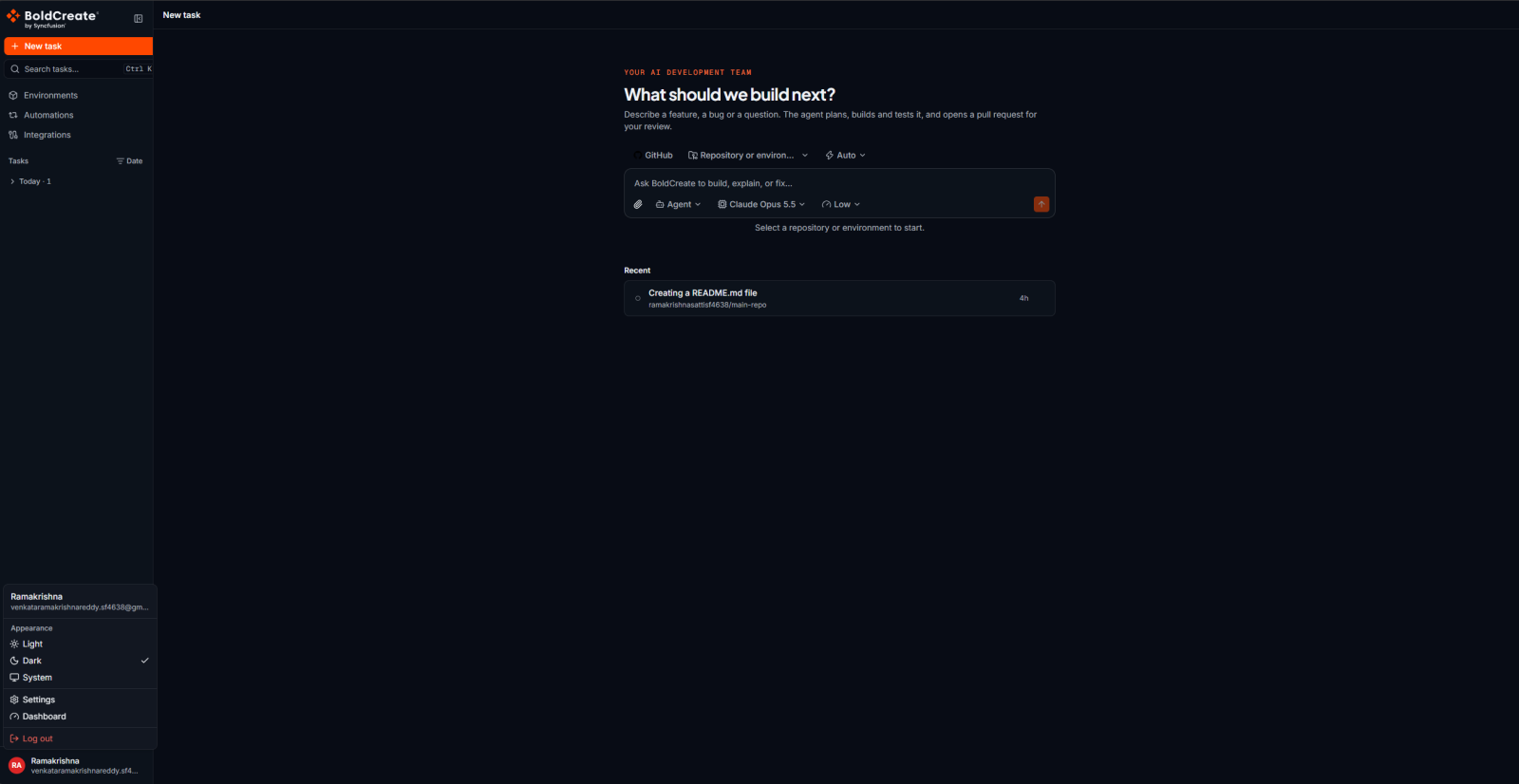
Start by connecting the Git provider that hosts your code. BoldCreate Cloud Agent supports:
- GitHub through OAuth.
- GitLab through OAuth.
- Gitea through a personal access token.
Open Integrations from the sidebar and connect your provider. You can then select an available repository when creating a task.
For Gitea, provide your server URL and a personal access token with the required permissions.
Keep credentials and sensitive values out of chat. Configure secrets and environment variables through the appropriate environment settings instead of pasting them into a conversation.
Give the Agent a Clear Development Task
After connecting your repository, select New Chat, choose the provider, repository or environment, and starting branch, then describe the task.
Specific instructions help the agent understand the expected behavior and how to validate the implementation.
Instead of:
Fix the login bug.
Try:
The login form in
/src/pages/Login.tsxthrows a null reference error when the email field is empty. Add validation before submission and write unit tests for the validation logic.
The second request identifies the affected file, the failure condition, and the expected outcome. You can add relevant constraints, testing requirements, or project conventions when needed.
Let the Agent Work in an Isolated Workspace
Each Cloud Agent task runs in its own workspace. The repository is cloned into that workspace on a separate task branch, allowing the agent to work without directly modifying your existing branch.
Within the workspace, the agent can:
- Read and search project files.
- Edit and create code.
- Run terminal commands.
- Install dependencies.
- Execute tests and other project commands.
- Continue work involving long-running commands.
The workspace also preserves task state when paused, so you can return to the same task and continue from where you left off.
Git access is handled through a controlled gateway rather than placing your Git credentials directly inside the workspace.

Use Your Existing Project Instructions
An AI coding agent needs more than a task description. It also needs to understand your project’s conventions, coding standards, and implementation requirements.
Cloud Agent can pick up relevant instructions and configuration from your repository, including supported files such as:
AGENTS.mdCLAUDE.md.github/copilot-instructions.md.codestudio/codestudio-instructions.md.codestudio/instructions/*.md
Repository-specific rules and skills can provide additional guidance. This helps the agent follow established project conventions without requiring you to repeat the same instructions in every task.
Choose How the Agent Approaches the Task
Different development tasks call for different levels of autonomy. Cloud Agent provides three modes to support different goals.
Agent
Use Agent when you want the system to perform the development work, including editing code, running commands, and addressing issues.
Ask
Use Ask when you want to understand the codebase without requesting code changes. It’s useful for exploring implementation details, tracing logic, or understanding how components interact.
Plan
Use Plan when you want a step-by-step implementation plan before code changes begin.
You can also select a model and adjust the thinking effort where supported, depending on the task and available configuration.
Work Across Multiple Repositories
Some changes involve more than one codebase. A frontend feature might depend on a backend service, or an application might rely on a shared library.
For these workflows, you can configure an Environment that brings together the resources needed for a task.
An environment can include:
- Multiple repositories and their branches.
- Custom runtimes.
- Installation and setup commands.
- Start commands.
- Environment variables and secrets.
For a task involving a single repository, you can select that repository directly without configuring an environment.
This flexibility helps you provide the agent with the project context needed for work spanning connected codebases.
Review Changes Before Creating a Pull Request
An agent’s implementation still needs review before it becomes part of your codebase.
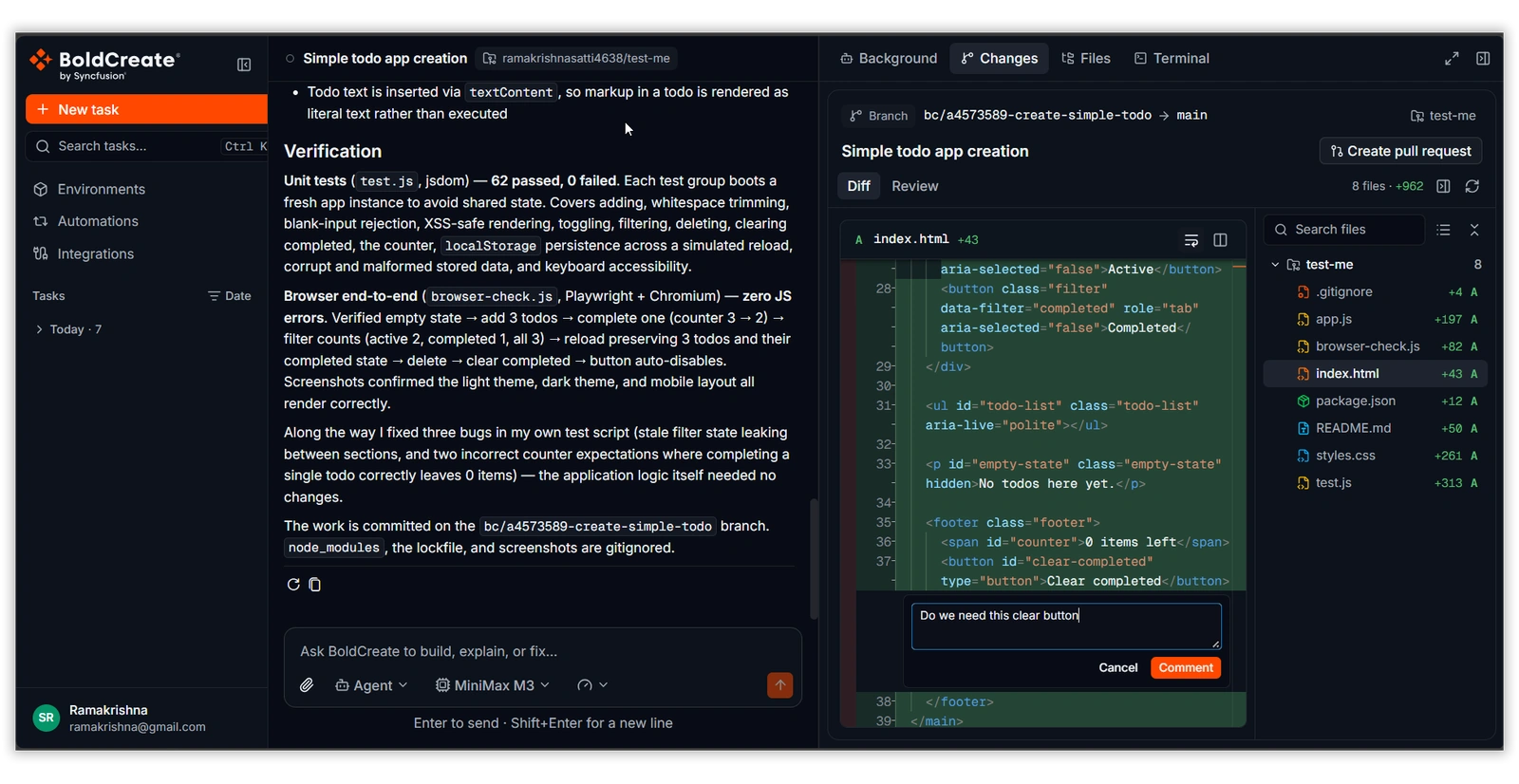
Open the Changes tab to inspect the task branch, base branch, changed files, and code diff. Review the implementation, identify anything that needs adjustment, and send feedback to the agent for another iteration.
You can continue refining the task in the same session before publishing the result.
Create a Pull Request When You’re Ready
BoldCreate Cloud Agent does not automatically create a pull request when a task finishes. You decide when the changes are ready to publish.
Once you’ve reviewed the implementation, you can create a pull request in either of two ways:
- Ask the agent to create a pull request.
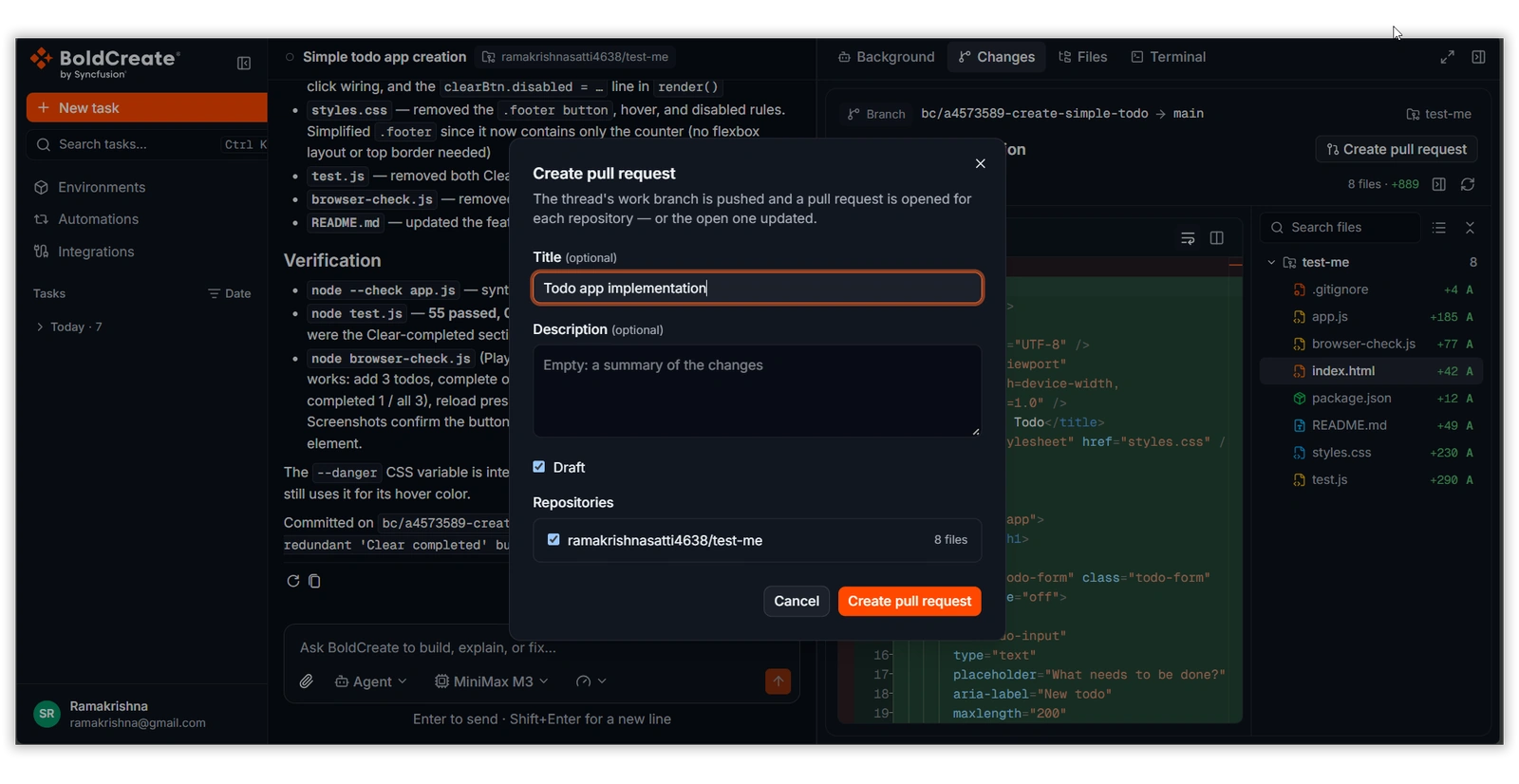
- Select Create pull request from the Changes tab.
You can provide the pull request title and description, choose whether it should be a draft, and select the repositories to publish. If you request further changes after creating the pull request, the existing pull request can be updated.
This keeps the review and publishing process under your control.
Keep Tasks Focused and Monitor Usage
Cloud Agent works best when each task represents one logical piece of development work.
For example:
- Fix authentication validation and add unit tests.
- Refactor the notification service.
- Add activity tracking to the dashboard.
Separating unrelated work into distinct tasks makes changes easier to inspect, test, and revisit.
Cloud Agent usage is billed at the AI and sandbox providers’ cost plus the 10% platform fee. Usage depends on factors such as the selected model and the number of interactions. To inspect usage, open Usage Explorer and filter by Platform Types → Cloud Agent.
A Cloud-Based Agentic Development Workflow
Cloud Agent changes how you hand off development work.
Instead of keeping your local environment occupied throughout implementation, you can describe a task, let the agent work in an isolated workspace, and return to review the results.
Describe the task → Let the agent work → Review the changes → Iterate → Create a pull request
Your repository remains under your control, the agent works in a separate task workspace, and you decide when the implementation is ready to publish.
Get Started with BoldCreate Cloud Agent
Connect your GitHub, GitLab, or Gitea account, select a repository, and describe the development task you want to delegate.
Whether you’re fixing a bug, updating tests, implementing a feature, or working across multiple repositories, BoldCreate Cloud Agent gives you another way to move development forward without keeping your local machine running.
Start your next development task with BoldCreate Cloud Agent.
Frequently Asked Questions
BoldCreate Cloud Agent is an AI coding agent that works with repositories in an isolated cloud workspace. It can inspect files, edit code, run commands, and test changes.
No. Each task uses a separate work branch in its own workspace. You can review the resulting changes before creating a pull request.
Cloud Agent supports GitHub and GitLab through OAuth, and Gitea through a personal access token.
Yes. You can configure an Environment with multiple repositories, branches, runtimes, setup commands, environment variables, and secrets.
No. Review the changes first, then ask the agent to create a pull request or use the Create pull request option in the Changes tab.


Leave a comment
Join the discussion by signing in with your account.
Sign in to comment